
Throttle Bridge · Z21 · WiThrottle · LCC · MQTT in · LocoNet · DCC-EX · XpressNet · LCC · MQTT out
Every throttle you own, on every layout you visit.
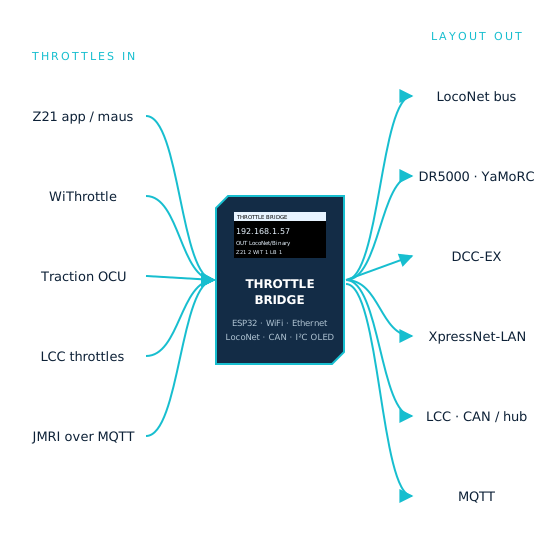
The Throttle Bridge is a small ESP32 box that sits between the throttles and the layout. Z21 apps and the WLANmaus, Engine Driver and WiThrottle, the Traction OCU, LCC throttles and JMRI over MQTT all connect to it; it drives whatever the layout speaks — a LocoNet bus, a DR5000 or YaMoRC over the network, DCC-EX, XpressNet-LAN, an LCC hub or CAN bus, or an MQTT broker. Every throttle sees every change, whoever made it. Set it up once from a web page; from then on it just runs.
Open firmware for the Lolin D32 · Part number TBA · Price TBA
Throttles in
Whatever is in your hand.
Each protocol is a server the bridge runs, on its own port, on WiFi or Ethernet. Turn on the ones you use. A phone on Z21, a handheld on WiThrottle and a JMRI panel over MQTT can all drive the same layout at the same time, and when one of them throws a turnout or cuts track power the others are told.
- Z21 LAN protocol: the Roco Z21 app, the WLANmaus and Z21 handsets — including the maus’s odd checksum, which a real Z21 tolerates and so do we
- WiThrottle: Engine Driver, WiThrottle, the Traction OCU-1 and any JMRI-protocol client, found by mDNS
- LCC: the bridge offers a Train Control node for every loco, so an LCC throttle drives a LocoNet layout
- MQTT: JMRI throttles on its MQTT connection, Node-RED, Home Assistant or a script publishing JMRI’s topics
Layout out
Whatever the layout speaks.
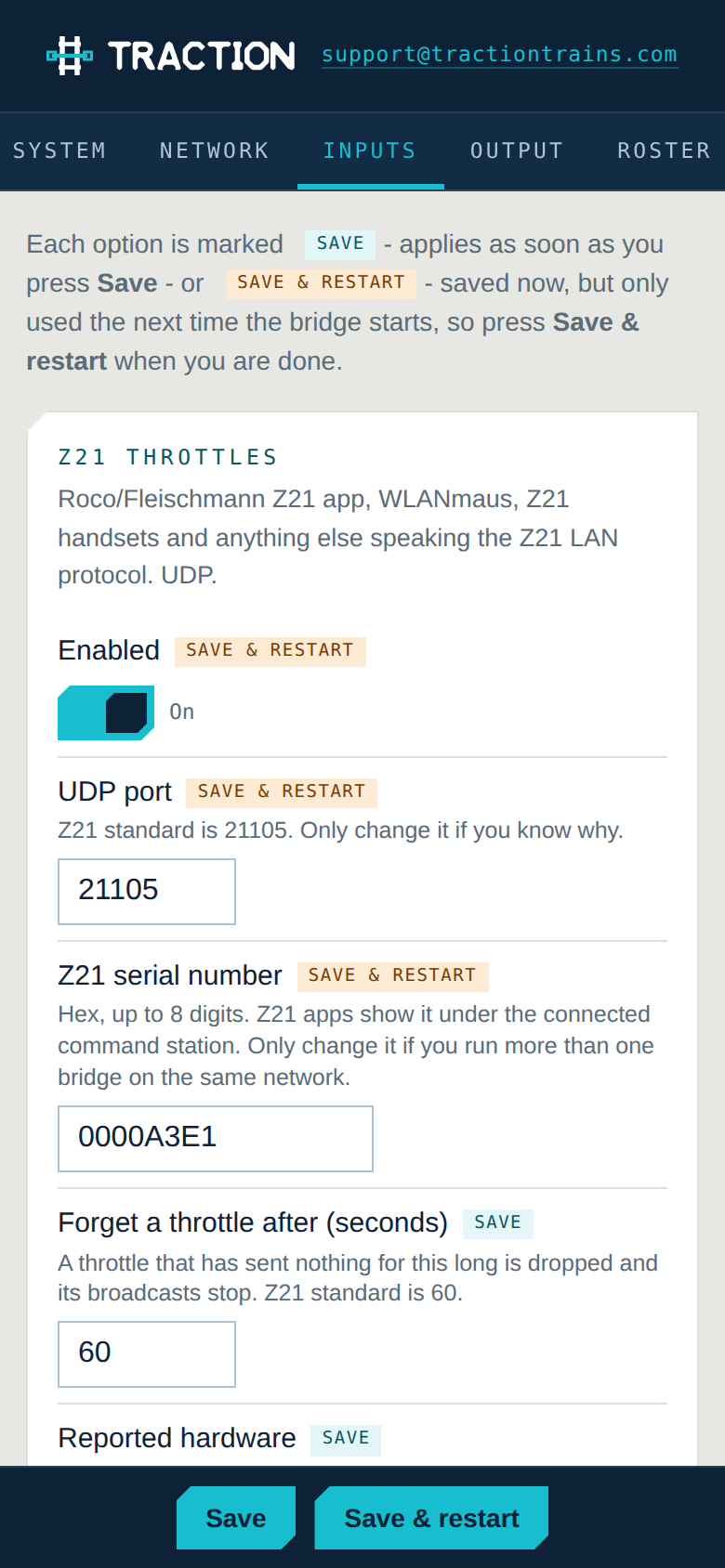
One output at a time, chosen on the setup page. The command station sees a single client — one socket, one LocoNet node, one OpenLCB controller — however many throttles are connected, so adding a throttle costs the station nothing. Slots are acquired and kept alive, speed updates are paced so a phone slider cannot flood the bus, and turnout outputs are switched off again for apps that forget.
- LocoNet — the physical bus through a comparator interface, or over the network to a DR5000 or YaMoRC YD7001 (LbServer text or raw Binary)
- DCC-EX EX-CommandStation over its native command protocol, roster and turnouts pulled from the station
- XpressNet-LAN — Lenz LI-LAN, LZV200, and the same DR5000 and YaMoRC boxes
- LCC / OpenLCB Train Control over a GridConnect hub or straight onto the CAN cable
- MQTT — JMRI’s topics or your own, for MQTT-native locos and decoders
Roster, turnouts, routes
Names, not numbers.
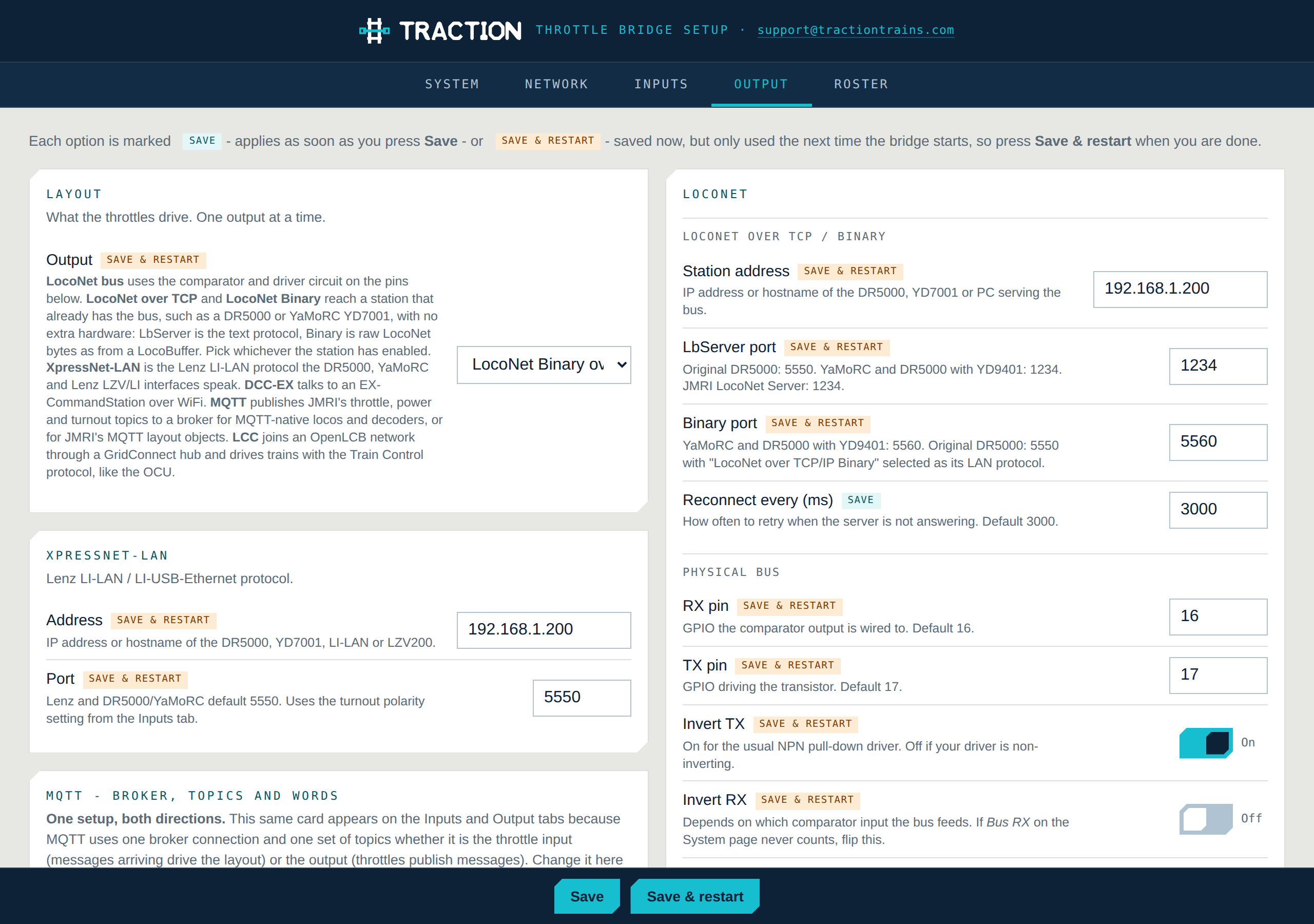
A WiThrottle throttle asks the server what there is to drive. The bridge answers from a roster you keep on its Roster tab, so Engine Driver and the OCU-1 show your locos by name with the right function labels, and list your turnouts and routes under their own names. Locos not on the roster still work by address.
- Up to 32 locos with a name and 29 function labels each: Headlight, Bell, Horn instead of F0, F1, F2
- Named turnouts by accessory address, and routes that throw a list of them in order
- With a DCC-EX output the station’s own roster, turnouts and routes are merged in automatically
- Stored on the bridge, separate from the settings; served to every WiThrottle client
Setup
Every setting on one page, and it is the same page as the OCU-1’s.
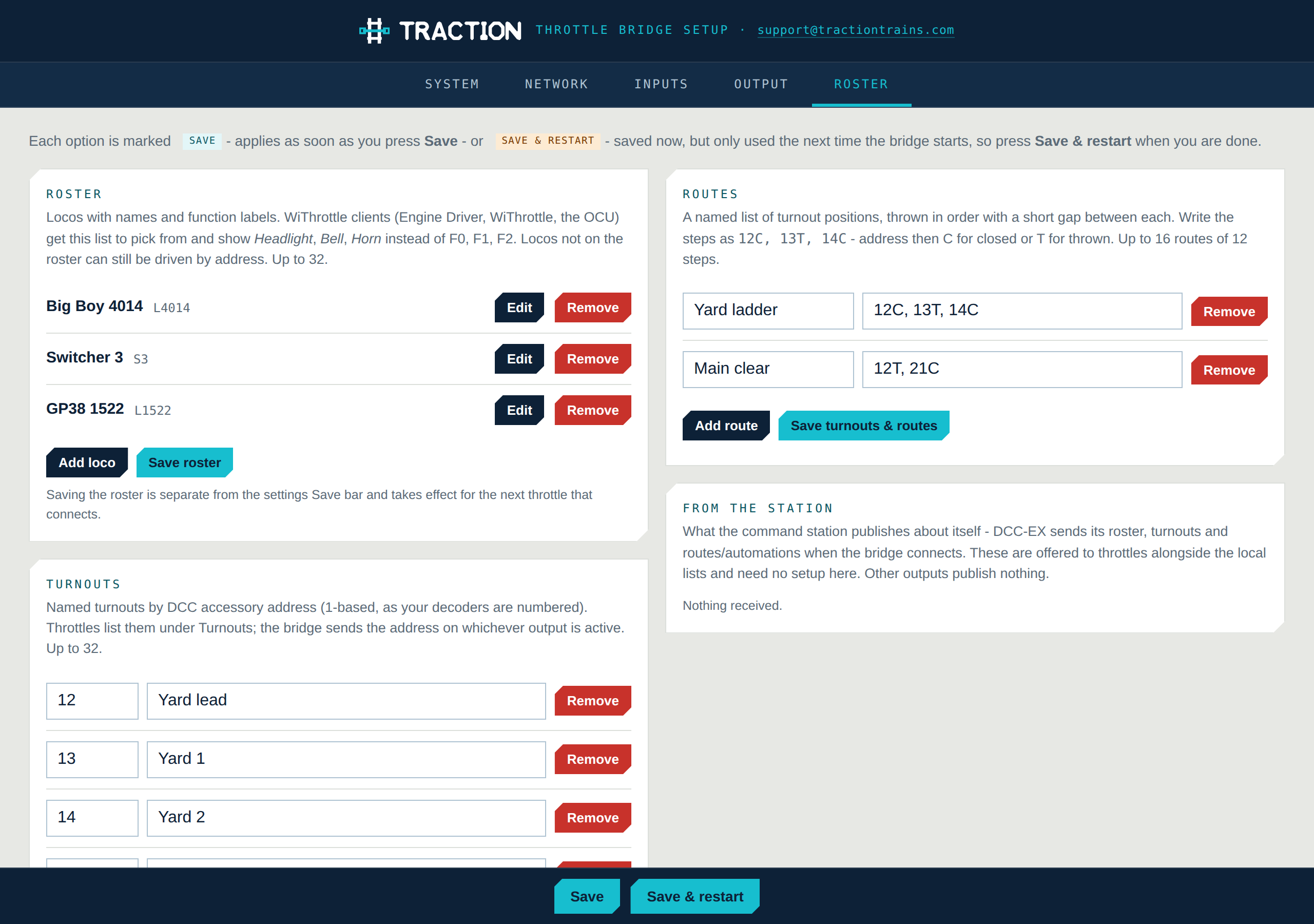
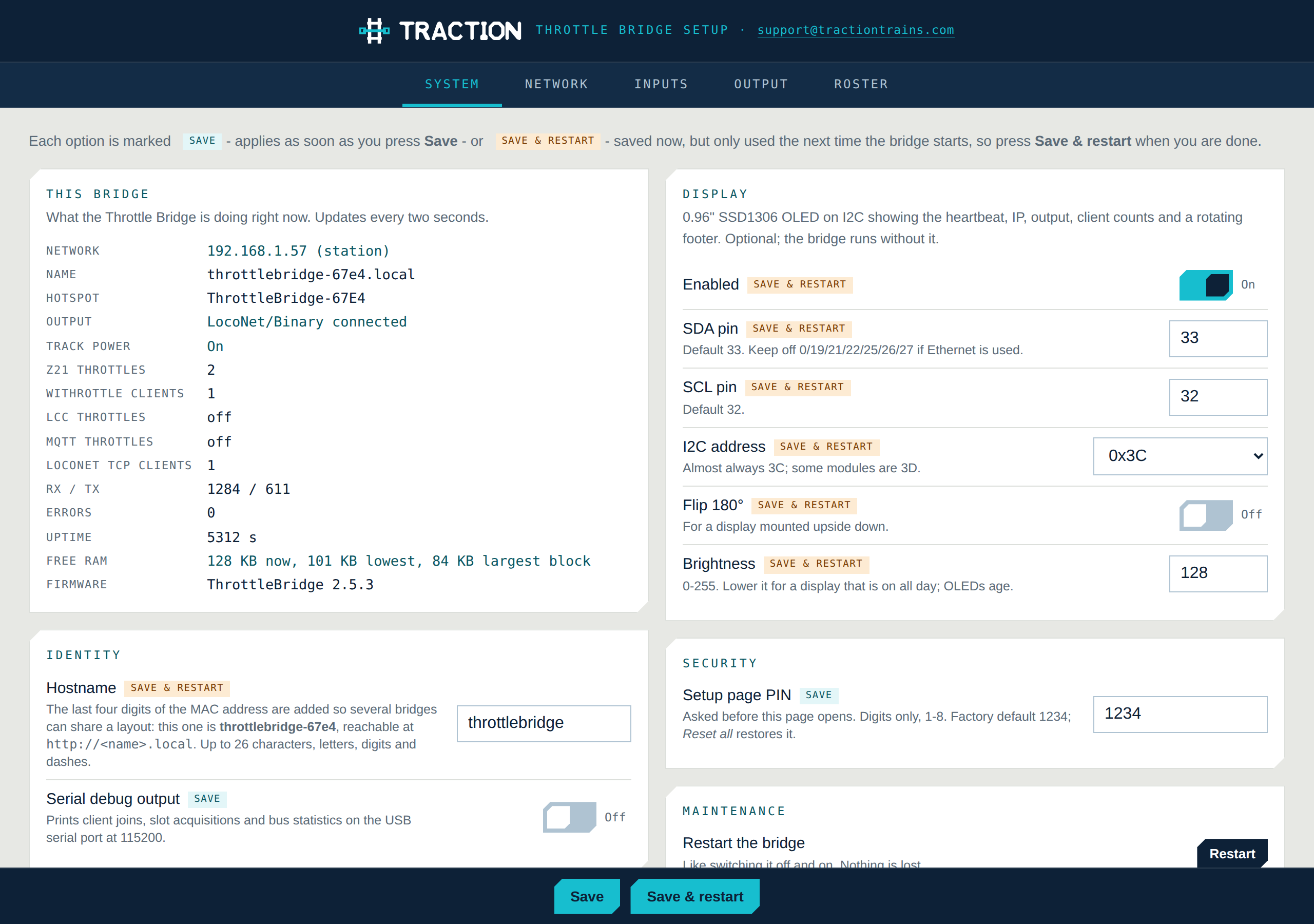
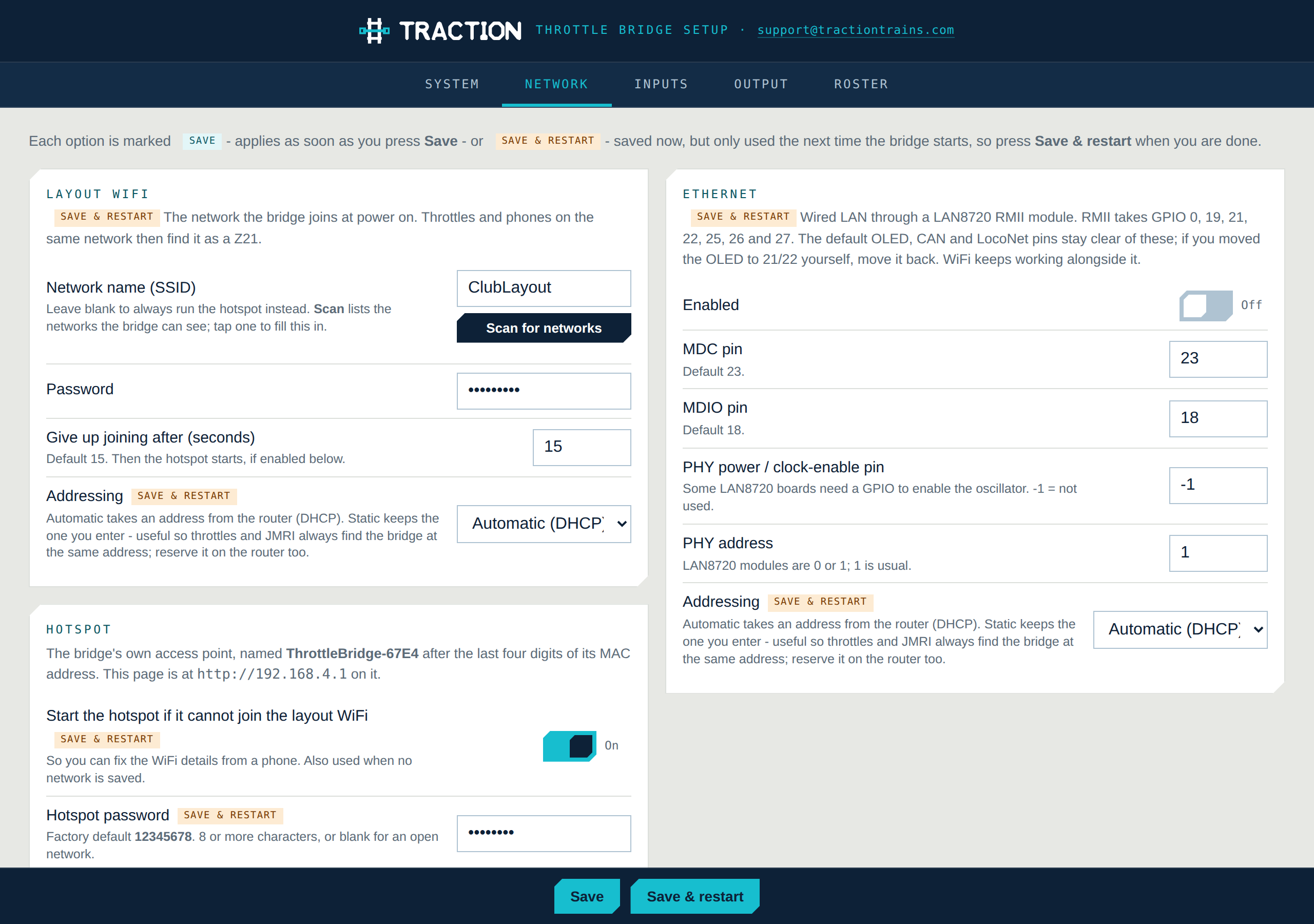
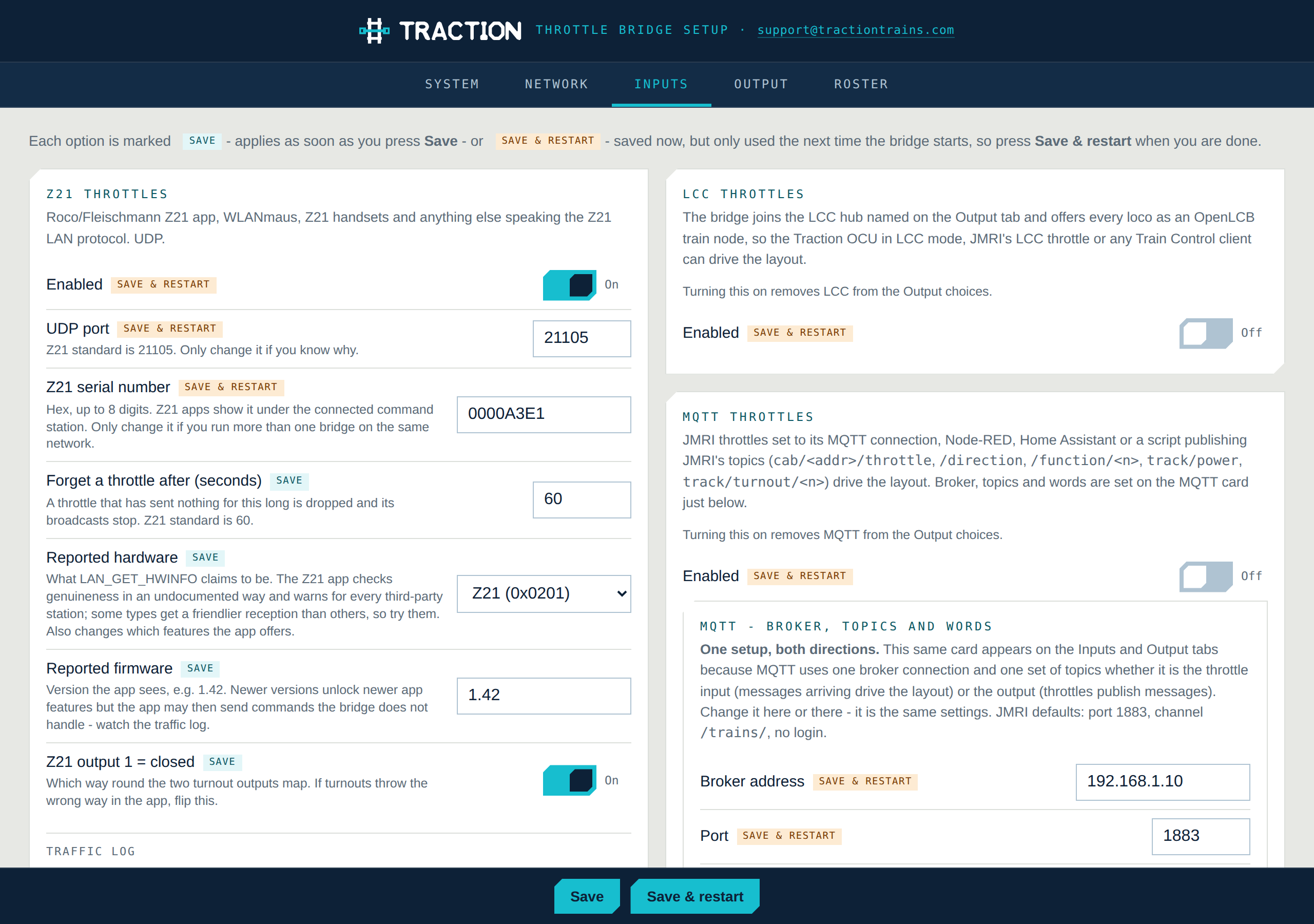
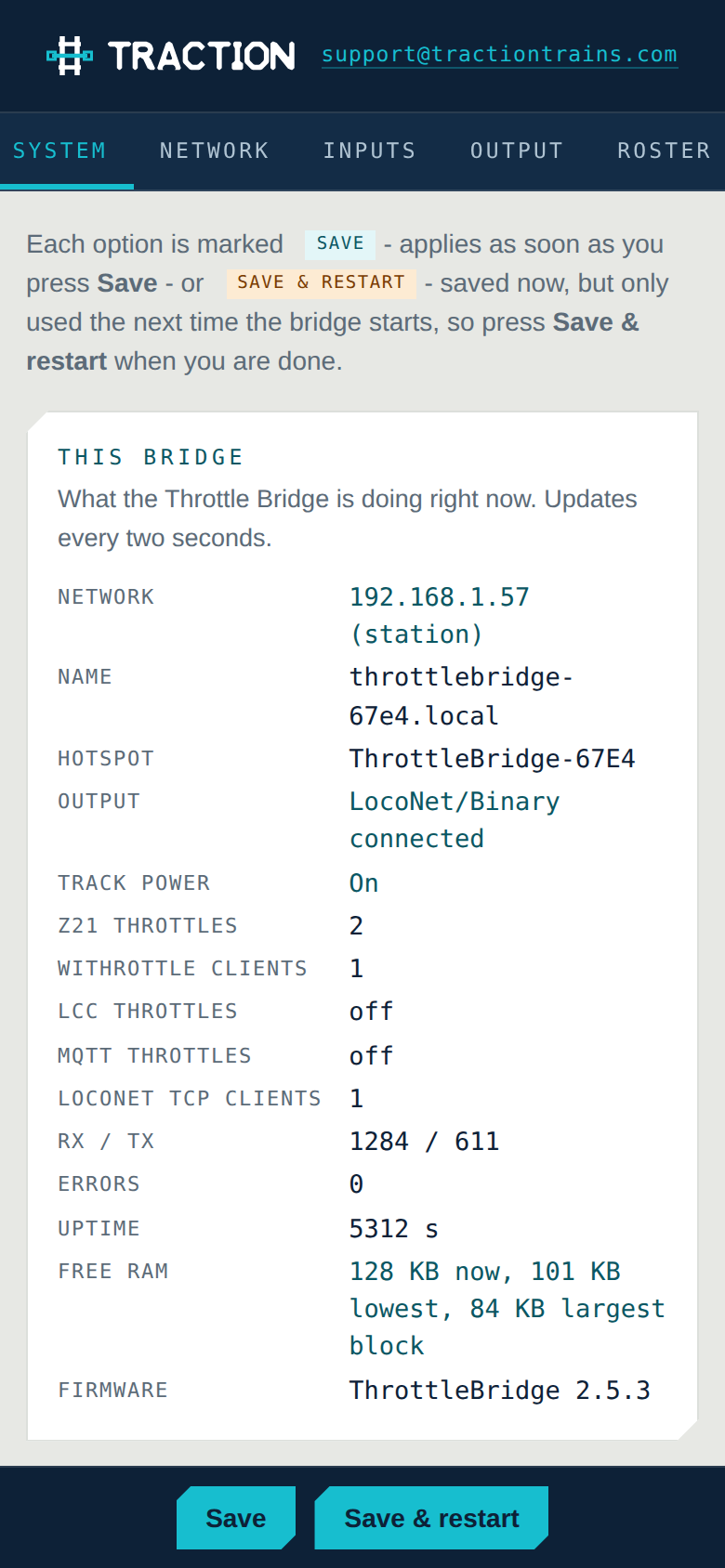
The bridge serves its own setup page over WiFi. Every option has a sentence explaining it and is marked Save or Save & restart so you know when it takes effect. The PIN gate, tabs, switches and Save bar are the OCU-1's; if you have set one up you have set the other up.
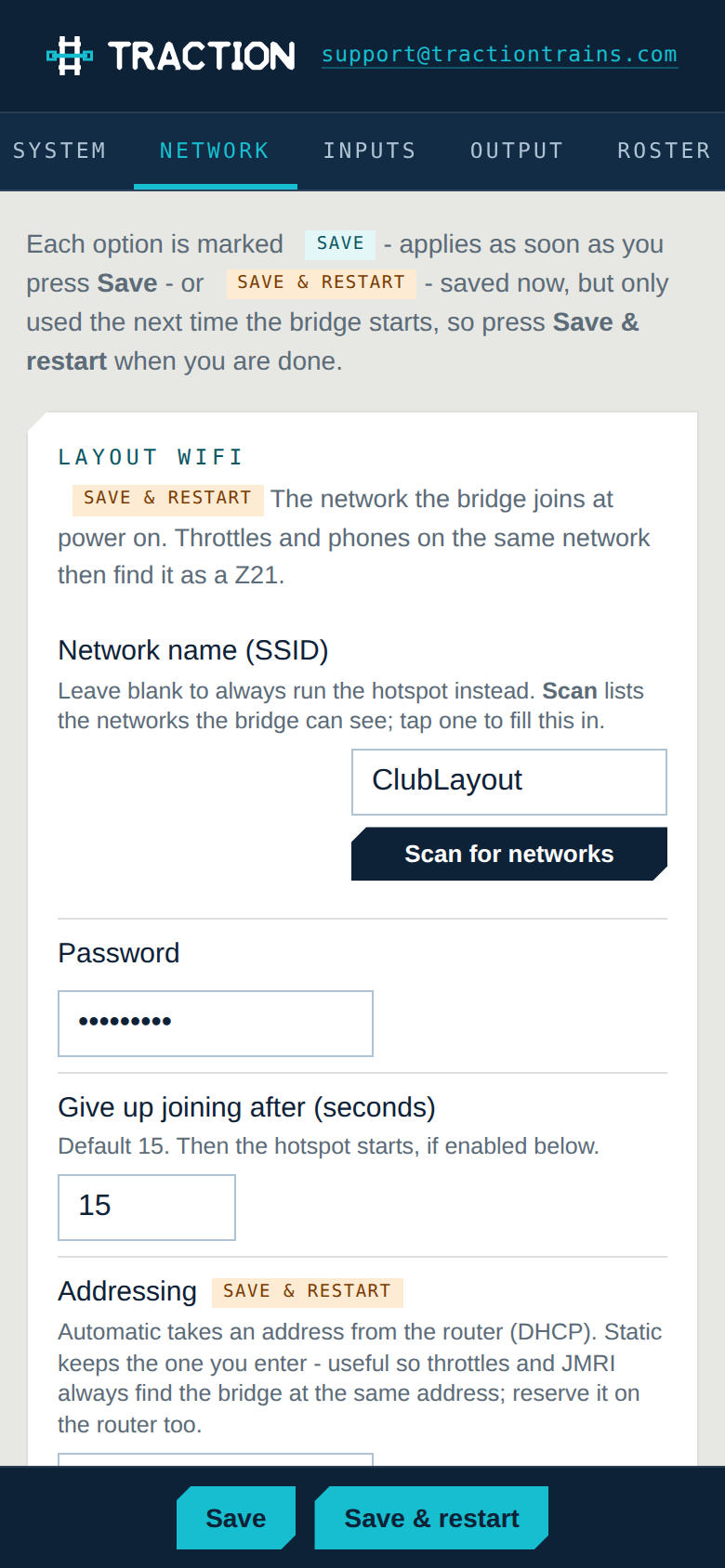
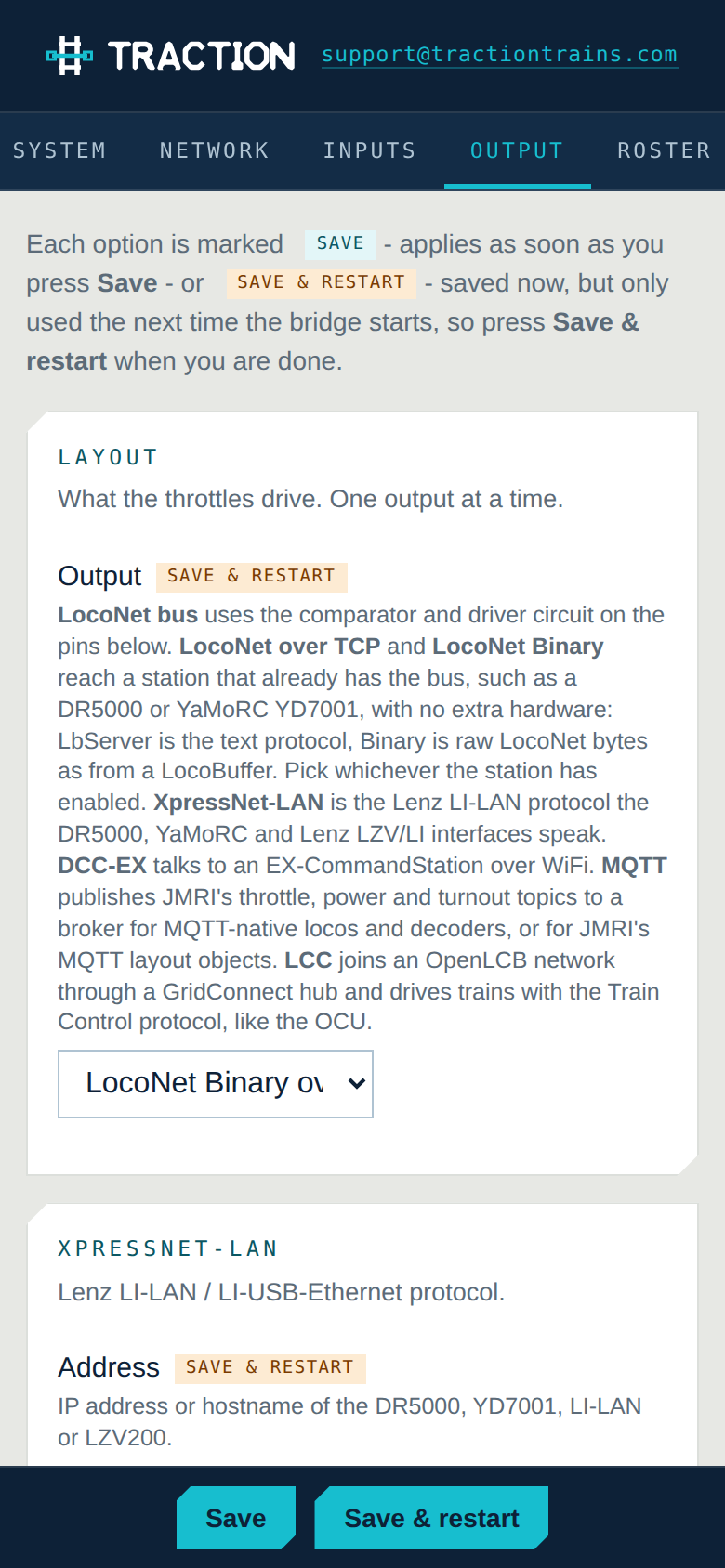
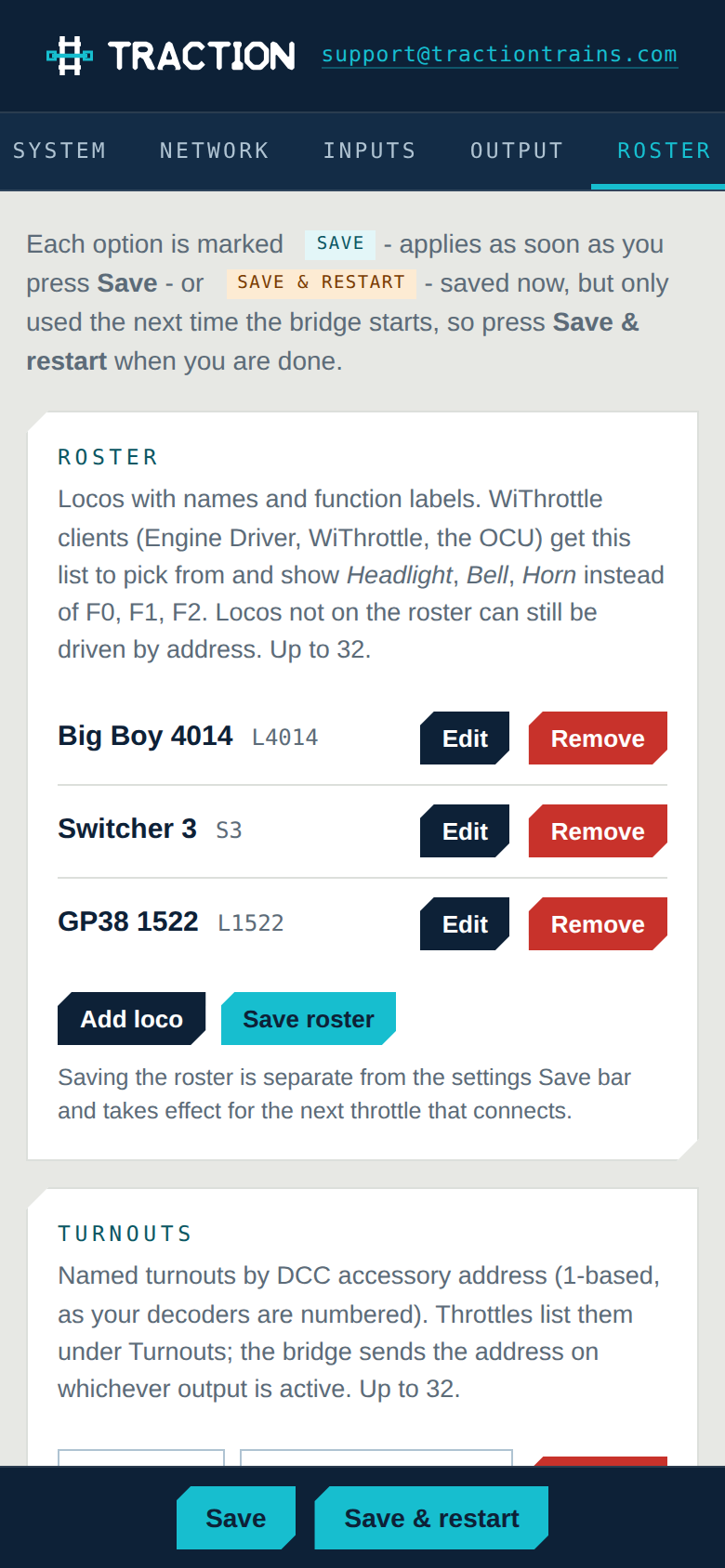
- System
- What the bridge is doing now — link, clients per protocol, track power, free memory — plus hostname, the OLED, the PIN, firmware update, restart and reset.
- Network
- Layout WiFi with a scan button, DHCP or static address, the hotspot it makes when it cannot join, and the optional Ethernet module.
- Inputs
- Z21 with its port, serial number, reported hardware and a live traffic log; WiThrottle; LCC throttles; MQTT throttles; turnout behaviour.
- Output
- Pick the layout — LocoNet bus, LocoNet over TCP or Binary, XpressNet-LAN, DCC-EX, LCC over hub or CAN, MQTT — and the settings each one needs.
- Roster
- Locos with function labels, turnouts, routes, and what the command station itself has published.
Status at a glance
A heartbeat you can see from the workbench.
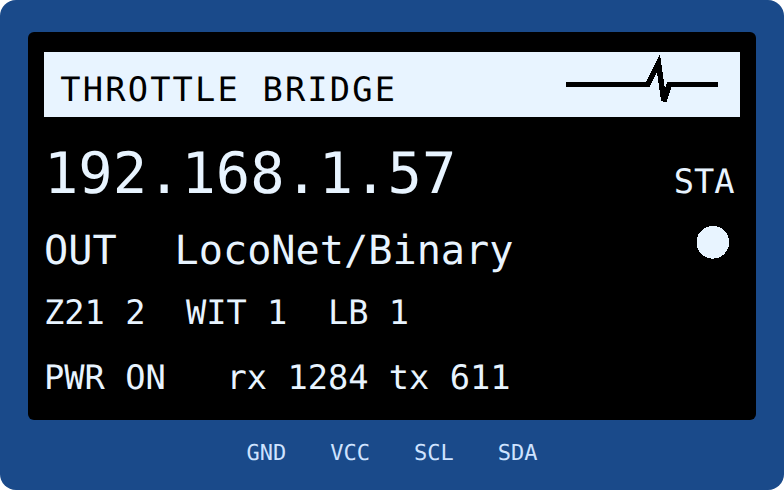
An optional 0.96-inch OLED on two I²C pins. At power-on it says what it is doing; on a fresh unit it tells you the hotspot to join and the address to open. After that it is the panel light for the whole bridge.
- ECG-style heartbeat driven from the main loop — if it stops, the bridge has stopped
- IP address and how it got it: WiFi station, hotspot or Ethernet
- The output and whether its link is up, clients per input protocol, track power
- Rotating footer: bus traffic, uptime and firmware version, the network name
Specifications
Everything, written down.
Every line is a setting or a limit in the firmware. The table sizes are compile-time constants and can be raised; they are chosen to sit inside the ESP32's socket budget with room to spare.
Hardware
| Controller | Lolin D32 (ESP32-WROOM-32), 4 MB flash, dual core 240 MHz |
|---|---|
| Network | WiFi 2.4 GHz station and/or hotspot; optional LAN8720 Ethernet module; DHCP or static on each |
| LocoNet | UART2 with comparator/driver interface, 16.66 kbps, CSMA/CD with collision detection |
| CAN | ESP32 TWAI controller + 3.3 V transceiver, 125 kbps, for LCC on the cable |
| Display | Optional 0.96 in SSD1306 OLED, 128 × 64, I²C, brightness and flip settable |
| Default pins | LocoNet 16/17 · OLED SDA 33 / SCL 32 · CAN 4/13 · Ethernet on the fixed RMII pins, all clear of each other |
| Firmware | Arduino IDE; over-the-air update from the setup page; settings, roster and PIN survive updates |
| Setup | Built-in web page, PIN protected, phone or desktop; hotspot ThrottleBridge-xxxx on first power-on |
Protocols
| Inputs | Z21 LAN (UDP 21105) · WiThrottle / JMRI v2.0 (TCP 12090, mDNS advertised) · LCC / OpenLCB Train Control server (hub or CAN) · MQTT, JMRI topics or custom |
|---|---|
| Outputs | LocoNet bus · LocoNet over TCP (LbServer) · LocoNet Binary over TCP · DCC-EX native (TCP 2560) · XpressNet-LAN (LI-LAN, 5550) · LCC Train Control client (hub 12021 or CAN) · MQTT |
| Also served | LocoNet over TCP (LbServer, 1234) for JMRI or Rocrail when the output is LocoNet |
| Capacity | 16 Z21 clients, 8 WiThrottle clients, 16 LCC train nodes, 4 LbServer clients, 32 concurrent locos; 32-loco roster, 32 turnouts, 16 routes |
| Speed | 128-step throughout; Z21 14/28-step and XpressNet modes converted; LocoNet slots forced to 128 steps (optional) |
| Functions | F0–F28 on every protocol; F9–F28 on LocoNet via immediate DCC packets |
| Turnouts | Accessory address on every output; DCC-EX station turnouts by id; polarity switch for Z21 and XpressNet |
| LCC node | Traction range 05.01.01.01.AE.xx, low byte from the MAC, editable; SNIP “Traction / Throttle Bridge” |
WiThrottle is a protocol implemented by the JMRI project; Z21 is a trademark of Modelleisenbahn GmbH; LocoNet is a trademark of Digitrax, Inc.; XpressNet is a trademark of Lenz Elektronik; LCC is the NMRA’s Layout Command Control, based on OpenLCB. Traction is not affiliated with any of them. The Roco Z21 app shows a “foreign control station” notice with every non-Roco station, the bridge included; the WLANmaus, Z21 handsets and WiThrottle apps do not.
Compatibility
What it talks to.
The bridge never talks to the internet. Nothing about your layout leaves your network, and no account is involved anywhere.
Digitrax, DR5000, YaMoRC
On the bus itself through a comparator interface, or over the network: the DR5000 and YaMoRC YD7001 both serve LocoNet over TCP (LbServer) and LocoNet Binary. The bridge takes one connection to the station; every throttle behind it shares it.
EX-CommandStation
Native command protocol over WiFi or Ethernet. The bridge pulls the station’s roster, turnouts and routes on connect and offers them to throttles alongside its own.
Lenz and XpressNet-LAN stations
The Lenz LI-LAN protocol: LZV200 and LI-LAN, and again the DR5000 and YaMoRC. All five function groups, accessories, power and feedback broadcasts.
TCS CS-105, OpenMRN, JMRI hubs
As an output the bridge is a Train Control controller; as an input it serves train nodes. Over a GridConnect hub on the network, or directly on the CAN cable with a transceiver — the same code the OCU-1 uses.
JMRI, Node-RED, Home Assistant
JMRI’s MQTT topics out of the box, or your own topic templates and payload words. One broker connection, either direction.
Z21 app, WLANmaus, Engine Driver, WiThrottle, OCU-1, LCC handhelds
Anything speaking Z21 LAN, WiThrottle, LCC Train Control or MQTT. Throttles never need to know what the layout is.
Questions
The ones we actually get asked.
Why would I want this if my station already has a Z21 or WiThrottle server?
Three reasons. Throttles that your station does not speak — an OCU-1 on a plain LocoNet layout, a Z21 app on a DCC-EX, an LCC handheld on a DR5000. Throttles that all stay in step: the bridge tells every connected throttle when any of them, or the layout itself, changes something. And a roster with names and function labels for stations that have none.
How many throttles can connect?
Sixteen Z21 clients, eight WiThrottle clients and sixteen LCC throttles at once, with the bridge on your router. Its own hotspot carries up to eight (the ESP32 radio’s limit is ten). The command station sees one connection regardless, so it is never the limit — only its loco slots are.
Does the Z21 app say the station is not genuine?
Yes, as it does with every non-Roco station — the DR5000 and YaMoRC included. It is a licensing check in the newer app, not something in the protocol, and the app offers a one-time unlock. The WLANmaus and Z21 handsets are not affected, and neither are WiThrottle apps, which the bridge also serves.
Can the same protocol be the input and the output?
No, and the setup page will not let you: an LCC-to-LCC or MQTT-to-MQTT bridge would answer its own messages. Every other pairing works — four inputs times seven outputs, minus those two.
What do I need to build one?
A Lolin D32 and the firmware, plus whatever your output needs: nothing at all for LocoNet over TCP, DCC-EX, XpressNet-LAN, an LCC hub or MQTT; a small comparator/driver circuit for the LocoNet bus; a 3.3 V CAN transceiver for LCC on the cable; a LAN8720 module for Ethernet; a 0.96-inch OLED if you want the screen. The guide has the wiring.
Is it open?
The firmware is plain Arduino C++ with no external libraries beyond U8g2 for the OLED. Every protocol is its own file, the setup page is one file, and the release notes list every change.
Get started
Flash it tonight, drive it tomorrow.
Build one from a Lolin D32 and the parts your layout needs, or ask us for an assembled unit. Either way the firmware is the same, the setup page is the same, and every change is written down.
Firmware on the Downloads page · Assembled units: price, part number and warranty to be announced